One-click mods, maps and skins for Minecraft on Android
One-click import of maps, skins, texture packs, and gameplay mods directly into Minecraft, letting players add content without manual file handling. Global Mods for Minecraft, from MaxMineDev, acts as an Android hub for Pocket Edition and Bedrock players. The app highlights categorized browsing, screenshot previews, and regular content updates. It suits Android Minecraft users who want quick, in-game additions and curated categories like Horror, Furniture, and PvP to narrow choices fast.
Designed to remove manual mod installation steps
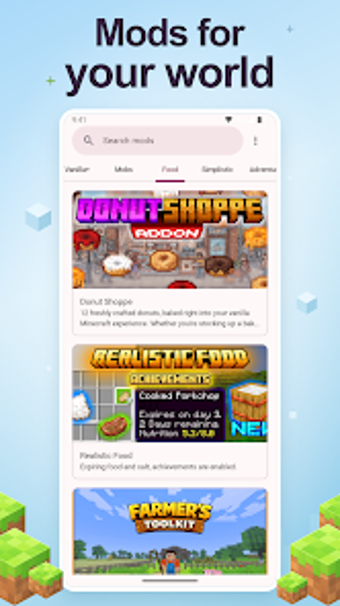
Global Mods focuses on simplifying mobile modding by offering a one-click installation flow that imports content straight into Minecraft Pocket Edition, which removes the need to manage files manually. The catalog lists maps, skins, textures, and gameplay addons such as furniture, weapons, and vehicles, and each entry includes screenshots and descriptions so users can preview an item before downloading.
Works only when Minecraft is present and matches versions
The app requires Minecraft Pocket Edition or Minecraft Bedrock Edition to be installed on the device for content to function, and the database is regularly updated to retain compatibility across releases. Because the source notes compatibility can vary with specific game versions, users should match the mod’s listed supported versions to their installed game before importing.
Browsing, discovery, and onboarding for everyday players
Categorized browsing separates Horror, PvP, Vanilla+ and other themes so casual builders and themed players find content quickly. Preview screenshots and descriptions reduce guesswork during selection, and the interface’s one-click flow lowers onboarding friction for players who do not want to edit game files directly.
Content reliability and community-sourced scope
The repository gathers community-created content across maps and addon types, and the developer maintains updates to the content database. User feedback included in the source praises the straightforward import process, while noting that some mods' compatibility depends on the user’s Minecraft version, which affects how reliably a downloaded add-on will run.
To sum up, a handy mod hub for Android Minecraft players
To sum up, Global Mods fits Android Minecraft players who want quick access to curated maps, skins, and gameplay addons without manual file work. It depends on having Minecraft installed and matching mod and game versions, so it’s less suitable for users who need detailed version control or custom patching. For players seeking fast, theme-based content discovery, it integrates into daily play routines well.